
The Best Free AI Video Tools in 2026 (Tested & Ranked — No Credit Card Required)
We tested 40+ free AI video tools in 2026 so you don't have to. Here are the ones that actually work — no credit card, no watermarks, no regrets.

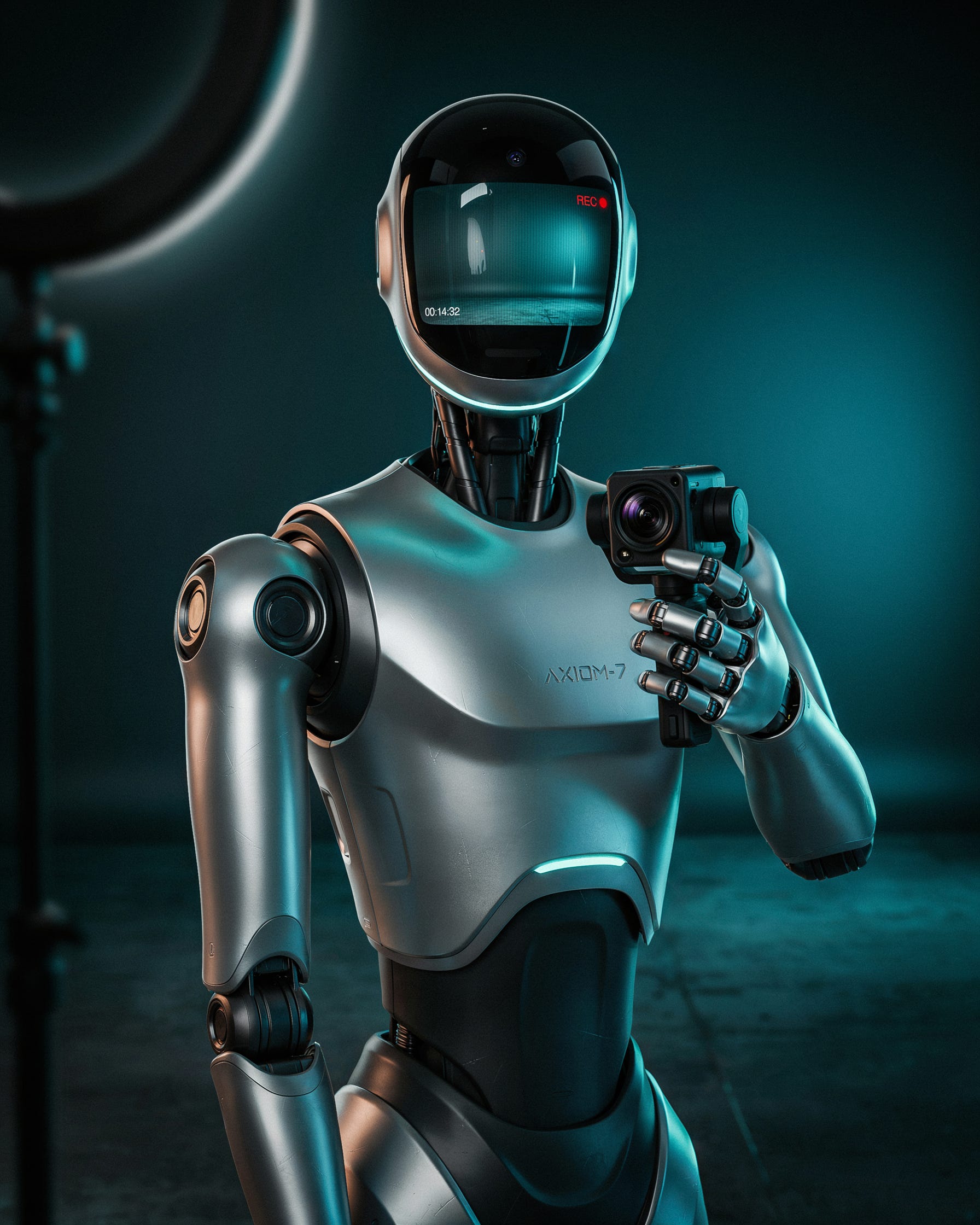
You don’t need a $600/year subscription to make professional video content in 2026. You never did. You just didn’t know which free tools were actually worth your time—until now. *
The Ground Shifted. Most People Haven’t Noticed Yet.
There wasn’t a big announcement. No press release, no viral moment. It just happened — gradually, then all at once — and now here we are in a world where a solo creator with zero dollars and a decent idea can produce video content that competes, visually and technically, with teams that have actual budgets.
That’s not hype. That’s just where we are.
Two years ago, the tools that could generate text-to-video, strip backgrounds with precision, clone a voice, auto-caption in 50 languages, and assemble a rough cut from a script were expensive, unstable, or both. You needed API keys, enterprise contracts, or a tolerance for watermarks the size of a highway billboard. Today, those same capabilities live inside free tiers that are genuinely, sustainably free—not trials, not bait-and-switch freemium traps, but permanent access levels that serious creators are running their entire operations on.
The catch — and there is always a catch — is that for every legitimate free AI video tool, there are eight others designed to waste your time. Tools that throttle your export to 480p. Tools that call themselves “free” until the moment you try to download your video. Tools that vanish, pivot, or quietly sunset their free plan the week after you’ve restructured your entire workflow around them.
We spent three months testing more than 40 of them. What follows isn’t a roundup assembled from other people’s roundups, and it isn’t sponsored. It’s a working creator’s guide to the free AI video tools that held up under real use, ranked by what they’re actually good for.
**One thing before you scroll:** The tools in this guide get significantly more powerful when you know how to prompt them. My free download — **[50 AI Prompts for Marketers](your-link-here)** — includes prompt templates built specifically for AI video scripting, hook writing, and B-roll direction. No cost, no card, no catch.
First, Let’s Talk About What “Free” Actually Means Now
The word has been so thoroughly abused by SaaS marketing that it barely functions as information anymore. So before the rankings, a quick taxonomy—because the difference between these categories is the difference between a tool you can actually build on and one that strings you along.
**A genuine free tier** is permanent access with real functionality and no expiration date. No credit card required to sign up, no countdown clock in the corner of your dashboard. This is the category we’re covering.
**A free trial** is a time-limited window — usually seven to thirty days — that ends in a paywall. Useful for evaluation. Not a sustainable workflow.
**Freemium bait** is the most common trap: tools that loudly advertise themselves as free, then quietly make the free version unusable. Watermarks baked into the center of the frame. Export capped at a resolution that looked bad in 2015. Account features that exist only to show you what you’d get if you paid.
**Open-source or self-hosted tools** are genuinely free in cost but require technical setup. We include the most accessible of these, but we’re honest about the barrier.
The Three Things That Immediately Disqualify a “Free” Tool
A watermark burned into the video frame — not a dismissible end card, but an actual logo sitting on your content — means you’re producing an advertisement for their product, not your own. We don’t include tools with frame-level watermarks, full stop.
An export ceiling below 720p disqualifies a tool in 2026 for the same reason it would have disqualified a toaster that only made cold bread. Every major platform expects at minimum 1080p. We kept the bar at 720p as a floor but noted it wherever it applies.
A credit card requirement for “free” signup is a conversion tactic, not a security measure. A tool that needs your payment information before giving you free access isn’t actually offering you free access. It’s offering you a trial with extra friction.
The 10 Best Free AI Video Tools in 2026 — Ranked by What They’re Actually For
1. CapCut — Best All-Around Free Tool for Short-Form Video
**Best for:** TikTok, Instagram Reels, YouTube Shorts, daily social content
**Free tier output:** Up to 1080p, no watermark on standard exports
**Credit card required:** No
CapCut is the tool that keeps quietly getting better while everyone debates whether it’s going to get banned. Whatever your feelings on its ownership, the product itself has become something remarkable: the most complete free video editing suite available on desktop or mobile, with an AI layer that has matured faster than almost anything in this space.
The 2026 version auto-captions in more than 50 languages at accuracy rates north of 95%. It converts a text prompt into an assembled video with B-roll sourcing. Its background remover does what tools charging $30 a month were doing 18 months ago. And unlike a lot of competitors, CapCut has been unusually restrained about what it puts behind a paywall. The Pro tier adds longer templates, commercial licensing for certain assets, and some advanced AI effects — but the core editing workflow, including the AI features most creators actually use, remains untouched at the free level.
A creator putting out daily short-form content could run their entire operation here. Many do.
**What you actually get for free:**
- AI auto-captions with style and font customization
- AI background removal and replacement
- Script-to-video with automatic B-roll suggestions
- AI music generation (within monthly credit limits)
- 1080p export, no watermark on standard templates
**Where it has limits:** The AI avatar feature and extended text-to-video are behind the Pro wall. If you burn through AI effect credits quickly, you’ll notice the ceiling.
**Bottom line:** For 90% of short-form creators, this is the only tool they need.
2. Runway ML — Best Free Option When You Need Something That Looks Cinematic
**Best for:** Generative video, creative direction, high-concept B-roll
**Free tier output:** 720p, watermark-free within monthly credit limits
**Credit card required:** No
Runway gives you 125 credits when you sign up. That’s roughly 25 seconds of Gen-3 Alpha video, which sounds like almost nothing until you see what Gen-3 Alpha actually produces. Eighteen months ago, this quality of AI-generated footage required a $76/month subscription. Now it’s free, within limits.
The limits are real. Runway’s free tier is deliberately constrained to nudge you toward paid. But if what you need is one or two high-quality generative clips per week—a cinematic opener, an abstract product visualization, or a conceptual scene your camera can’t capture—125 monthly credits, replenished with regular free account activity, is workable. You treat it like a strategic resource rather than a firehose.
The motion brush alone is worth having the account. Animate specific regions of a still image—the smoke rising, the water moving, the background blurring into depth—while everything else stays locked. It’s genuinely impressive.
**What you get for free:**
- Gen-3 Alpha text-to-video and image-to-video generation
- AI motion brush (regional animation within a still)
- Background removal, image expansion, object erasure
- 500MB storage
**Where it has limits:** The monthly credit ceiling is the whole ballgame. Heavy users exhaust it fast. Think of Runway as a hero-clip generator, not a production environment.
**Bottom line:** No free tool produces generative video at this quality. Use it with intention.
3. DaVinci Resolve — Best Free Professional Editor, Full Stop
**Best for:** YouTubers, filmmakers, podcasters adding video, anyone who edits seriously
**Free tier output:** Up to 4K, no watermark, ever
**Credit card required:** No
DaVinci Resolve is one of those tools that makes you stop and ask why it’s free. The answer is that Blackmagic Design sells hardware—cameras, capture cards, production equipment—and Resolve is the ecosystem that keeps professionals in their orbit. The incentive to keep it free and excellent is real, and it shows.
The 2026 AI feature set has crossed a threshold. Magic Mask does AI subject isolation with edge accuracy that used to require hours of rotoscoping. Speed Warp creates AI-powered slow motion from regular footage without the stuttering that plagued older methods. Voice Isolation separates a speaker from ambient noise so cleanly that you’ll wonder if it was recorded in a studio. Auto Color reads the scene and matches it to a reference grade without you touching a single wheel.
These aren’t demo features. They’re the same tools used by professional colorists on distributed film and television projects. The interface is intimidating if you’re new to video editing — it really is — but if you have even basic editorial literacy, Resolve rewards you fast. And unlike subscription editors, there’s no monthly bill waiting at the end of that learning curve.
**What you get for free:**
- Full timeline editing up to 4K
- AI Magic Mask, Speed Warp, Voice Isolation, Auto Color, IntelliTrack
- Fairlight audio post-production
- Fusion compositor for visual effects
- AI-assisted color grading with scene detection
**Where it has limits:** A handful of Resolve Studio features—certain noise reduction algorithms and some HDR tools—require the paid license, which is $295 as a one-time purchase with no subscription. The free version is still, genuinely, extraordinary.
**Bottom line:** The most powerful free video tool ever made. If you’re serious about editing, there’s no negotiating with this recommendation.
4. Clipchamp—Best Free Editor for the Microsoft World
**Best for:** Windows users, internal corporate video, quick professional turnaround
**Free tier output:** 1080p, no watermark
**Credit card required:** No (Microsoft account only)
Clipchamp ships with Windows 11. That’s the sentence that explains most of its adoption—not that it’s mediocre, but that it’s simply there, already installed, already signed into your Microsoft account, already connected to your OneDrive footage.
But the 2026 AI update made it worth discussing on its own merits. The AI script writer generates structured video scripts from a prompt or outline. The AI B-roll search reads your script and surfaces stock footage that matches the semantic content of each section—not just keyword tags, but contextual meaning. The voice generator covers more than 400 voices across 170+ languages, which is better language coverage than most dedicated voiceover tools at any price point.
For professionals producing training videos, internal explainers, or department-level marketing content, the Microsoft 365 integration alone is valuable. Team recordings, SharePoint assets, OneDrive footage—all of it pulls directly into the timeline without exporting or re-uploading.
**What you get for free:**
- AI script writer with autocomplete
- AI voice generator (400+ voices, 170+ languages)
- AI B-roll matching from stock library
- Microsoft 365 native integration
- 1080p export, no watermark
**Where it has limits:** The stock library runs generically. The AI voice quality is solid, but it doesn’t reach ElevenLabs territory.
**Bottom line:** If you live in the Microsoft ecosystem, this is your editor. For everyone else, it’s an underrated option with a low barrier to entry.
5. Pika Labs — Best Free Tool for Bringing Still Images to Life
**Best for:** Product video, animated imagery, motion graphics, visual storytelling
**Free tier output:** 720p
**Credit card required:** No
Pika does one thing better than almost anything else in this price category: it takes a still image and makes it move believably. Upload a product photo and describe a camera behavior—”slow dolly backward, slight parallax”—and Pika generates a clip with physics-accurate motion that looks nothing like the artifact-riddled AI video from two years ago.
The 2026 update introduced Pikaffects, a set of one-click transformations that can melt, inflate, shatter, or liquefy objects within a video. The free tier gets a rotating monthly selection of these effects, which keeps the tool feeling fresh even if it limits your access to the full library.
The watermark situation is the one honest complication. The first 30 generations are watermark-free. After that, a small Pika logo appears in the corner. Manageable for a lot of use cases. Worth knowing going in.
**What you get for free:**
- Image-to-video generation
- Text-to-video generation
- Pikaffects (rotating monthly subset)
- 250 generation credits per month
**Where it has limits:** a 720p cap on the free plan. Watermark kicks in after 30 generations.
**Bottom line:** If your workflow involves animating product imagery or turning static visuals into motion content, Pika earns its place in the stack.
6. Adobe Express — Best Free Tool for On-Brand Social Video
**Best for:** Social media managers, brand marketers, content teams with style guides
**Free tier output:** 1080p, watermark only on Premium template exports
**Credit card required:** No (Adobe account required)
Adobe’s push into freemium has been more aggressive than most people realize, and the Express free tier is one of the better outcomes of that strategy. The 2026 AI additions center on a text-to-template feature: feed it a brief—your brand colors, your tone, a few keywords—and it generates a branded video template with matching fonts, motion style, and layout. For a social media manager who needs to produce on-brand content without a design team and without starting from a blank timeline, this is genuinely useful.
Adobe Firefly integration gives free users 25 generative image credits per month, which is enough to create custom AI backgrounds and product imagery without leaving the editor. The native asset library, combined with Firefly, covers most visual needs for social content.
**What you get for free:**
- AI text-to-template video generation
- Adobe Firefly image generation (25 credits/month)
- AI background removal
- Thousands of free templates
- 1080p export, no watermark on free-tier assets
**Where it has limits:** A meaningful portion of the template library is premium-only. The watermark appears on those exports specifically.
**Bottom line:** The right choice for anyone who needs fast, brand-consistent video and already has a visual identity to work from.
7. Lumen5 — Best Free Tool for Turning Blog Posts into Video
**Best for:** Bloggers, LinkedIn creators, content repurposers, thought leadership
**Free tier output:** 720p with Lumen5 watermark
**Credit card required:** No
Lumen5 was built for a single workflow, and it does that workflow better than anything else at this price: paste a URL, and the AI reads your article, pulls out the key sentences, matches each to relevant stock footage or AI imagery, and assembles a shareable video. In 2026, the AI has gotten considerably sharper about pacing and visual-tone matching—it’s not just keyword-grabbing anymore; it’s making editorial decisions that would have taken a human editor real time.
The watermark is the trade. It sits in the corner of every free-tier export, and it doesn’t go away. That disqualifies Lumen5 for client work, premium YouTube channels, and anything where brand presentation matters. But for content repurposing to LinkedIn, internal documentation, or testing which of your blog posts translates best into video format, the watermark is a livable constraint.
**What you get for free:**
- Unlimited blog-to-video conversion
- AI scene matching from an extensive stock library
- Up to 5 video projects per month
- 720p export
**Where it has limits:** The watermark on all free exports is non-negotiable and persistent.
**Bottom line:** The fastest way to turn written content into video, with the one caveat you need to decide whether you can live with it.
8. Descript — Best Free Tool for Podcasters and Interview-Format Video
**Best for:** Podcasters, interviewers, educators, talking-head content creators
**Free tier output:** 1080p, no watermark within the monthly transcription cap
**Credit card required:** No
Descript is built around an idea that seems obvious once you understand it: if video is just spoken words plus images, and you can transcribe the words, then editing video should feel like editing a document. Delete a sentence from the transcript, and the video frames disappear with it. Fix a word in the script, and the audio re-records using your AI voice clone without you opening your mouth.
The AI Underlord feature — Descript’s generative editing layer — takes this further. It finds your filler words and removes them. It detects silence and cuts it. It identifies the best take when you’ve recorded three versions of the same sentence. And when you misspoke in an interview you recorded two weeks ago, it re-renders the corrected audio in your own voice.
The free tier gives you one hour of transcription per month. For a creator producing one weekly podcast episode or a couple of interview clips, that’s workable. It’s a real ceiling, but it’s not arbitrary—it maps to how this type of content creator actually uses the tool.
**What you get for free:**
- 1 hour of AI transcription monthly
- Filler word removal (um, uh, like, you know — all of it)
- Silence removal
- Overdub AI voice cloning (limited usage)
- 1080p export, no watermark
**Where it has limits:** The 1-hour transcription cap is the only real constraint. Screen recording is capped at 720p on the free plan.
**Bottom line:** For anyone editing talking-head, interview, or podcast videos, Descript’s free tier is a revelation. Nothing else in this category comes close.
9. Pictory — Use It Strategically, Not Sustainably
**Best for:** YouTubers, course creators, anyone repurposing long-form video into clips
**Free tier output:** 720p, watermark
**Credit card required:** No, but the free access is genuinely limited
Pictory’s free plan gives you three video projects. That’s it. Which makes this less of a free tool and more of a precision resource — something you deploy on your three most important pieces of content and then decide whether it’s worth paying for.
Here’s what makes those three projects worth using: Pictory’s AI watches your long-form video, identifies the highest-engagement moments based on signals trained from actual watch-time behavior, and extracts them as short-form clips with auto-generated subtitles. The accuracy in 2026 is legitimately impressive. It finds the moments you would have found yourself—the punchy line, the reveal, the emotional turn—and surfaces them without you scrubbing through an hour of footage.
**Strategic use of the free tier:** Save these three projects. Use Pictory on your highest-value long-form content—your best YouTube video, your most important webinar. Let it pull your short-form clips, then distribute those across TikTok, Reels, and Shorts to drive traffic back to the source.
**Where it has limits:** Three projects are three projects. This is a trial in structural terms.
**Bottom line:** Not a sustainable free tool, but an exceptional one for three specific pieces of high-priority content.
10. Canva Video — Best Free Tool for the Creator Who Doesn’t Think of Themselves as a Video Creator
**Best for:** Designers, marketers, educators, anyone coming from a visual design workflow
**Free tier output:** 1080p, no watermark on free-tier assets
**Credit card required:** No
Canva Video is exactly what it sounds like: the video editor for people who already live in Canva and don’t want to migrate to a new tool with a new interface and a new learning curve. The 2026 AI additions — Magic Design for Video, which generates a branded template from a text prompt; Beat Sync, which auto-cuts to music; and an AI background remover — make it a credible production environment for content that prioritizes visual clarity over cinematic depth.
The access to 250,000+ free templates and millions of free stock assets means you can produce something polished without sourcing anything externally. For educators making course preview clips, marketers producing one-off announcement videos, or anyone who needs to “just make a video” without it becoming a project—Canva Video at the free tier is the path of least resistance, and the output is better than that description makes it sound.
**What you get for free:**
- Drag-and-drop editor with 250,000+ free templates
- Magic Design for Video (prompt-to-template generation)
- AI background removal
- Beat Sync (auto-cut to music)
- Millions of free stock videos and images
- 1080p export, no watermark on free assets
**Where it has limits:** Premium elements — a significant portion of the template library — are behind Canva Pro. Free users will hit those walls mid-project occasionally.
**Bottom line:** The right tool for designers and marketers already inside the Canva ecosystem. Not the right tool for creators chasing cinematic quality.
The Quick Comparison — Free Tier Limits at a Glance
CapCut — The most complete free short-form editing suite on the market. AI captions, background removal, script-to-video, and 1080p exports are all available without ever touching your wallet. If you make content for TikTok, Reels, or Shorts, this is your home base.
Runway ML — The closest thing to cinematic AI video generation you’ll find at $0. Your 125 monthly credits don’t sound like much until you see what Gen-3 Alpha actually produces. Use it selectively — one strong hero clip per week — and the free tier holds up.
DaVinci Resolve — A 4K professional editor with AI color matching, voice isolation, subject masking, and slow-motion tools used on actual film productions. No watermark. No subscription. No stripped-down version. Just the full thing, free, because Blackmagic sells hardware and needs you in their ecosystem.
Clipchamp — Ships with Windows 11 and connects natively to OneDrive, Teams, and SharePoint. The 2026 AI update added script writing, B-roll matching, and a 400-voice generator. Not glamorous, but if you work inside Microsoft 365, it’s the most frictionless editor you’ll find.
Pika Labs — Built for one thing: making still images move convincingly. Upload a product photo, describe a camera motion, and Pika returns a clip with physics that actually holds up. The watermark kicks in after your first 30 generations, which gives you enough room to evaluate before you have to decide.
Adobe Express — Adobe’s free tier is more generous than most people realize. The AI text-to-template feature builds branded video layouts from a brief; Firefly gives you 25 generative image credits monthly, and 1080p exports on free-tier assets come out clean. The watermark only appears on Premium templates — everything else is yours.
Lumen5—Paste a blog URL, and Lumen5 reads it, pulls the key lines, matches scenes to stock footage, and assembles a shareable video. The watermark on all free exports is non-negotiable, and it’s real—factor that in before you build a workflow around it. For LinkedIn repurposing or internal content where brand polish isn’t the priority, nothing is faster.
Descript — Edit your video the same way you’d edit a document. Delete a sentence from the transcript, and the footage disappears with it. The AI handles filler words, silence, and re-recording flubs in your own cloned voice. One hour of monthly transcription is the ceiling — enough for a weekly podcast episode or two interview clips, and not much more.
Pictory — Technically a trial masquerading as a free plan. Three projects, full stop. But those three projects are genuinely powerful: Pictory’s AI watches your long-form video, finds the highest-engagement moments, and extracts them as short clips with auto-captions. Save these credits for your most important content and use them with a specific distribution plan in mind.
Canva Video — The video editor for the person who already lives in Canva and has no interest in learning a new interface. Magic Design generates branded video templates from a text prompt, Beat Sync cuts to music automatically, and the free asset library is enormous. The output won’t win cinematography awards, but for educators, marketers, and anyone who needs to “just make a video,” it gets there without a learning curve.
How to Stack These Tools Into a Complete $0 Production Workflow
Here’s the thing nobody tells you: the power isn’t in picking the best single tool. It’s in understanding which tools cover which gaps and building a workflow where they hand off to each other cleanly.
This is the production stack that professional creators are running at zero cost in 2026.
**Stage one: scripting and ideation.** Use Claude or ChatGPT at the free tier with targeted AI prompts to generate hook-driven scripts. The script is the highest-leverage variable in video performance — better than your camera, better than your graphics, better than your thumbnail. Spend real time here.
**Stage two: visuals and footage.** If you’re on camera, shoot on your phone and bring the footage into Descript. If you’re making faceless or text-based videos, use CapCut’s script-to-video or Lumen5. For AI-generated footage—the abstract opener and the product visualization—allocate your Runway ML credits here and only here.
**Stage three: editing.** Short-form goes through CapCut. Long-form professional content belongs in DaVinci Resolve. Podcast and interview videos live in Descript. Design-forward content is fastest in Canva Video.
**Stage four: captions, music, and polish.** CapCut leads on caption accuracy. Clipchamp leads on language range. For AI music, CapCut’s built-in generator is solid; Suno AI at the free tier is worth exploring for more custom audio. Thumbnails get made in Canva with Adobe Firefly handling any generative image needs.
**Stage five: repurposing.** This is where your three Pictory credits come in. Deploy them on your highest-value long-form content to extract short-form clips automatically. Let the AI find your best moments. Distribute those clips on short-form platforms. Drive the traffic back.
**The layer that multiplies everything:** Every stage of this workflow improves significantly with the right prompts. The **[50 AI Prompts for Marketers—my free download—covers AI video scripting, hook generation, B-roll direction, and title formulas tested across all of these tools. It’s free. Instant access.
Why This Matters More If You’re Building Around Affiliate Revenue
If monetization is part of your content strategy, free AI video tools aren’t just about saving money on software. They change the math of what’s possible.
Take a single blog post — say, a well-researched guide to a product category you’re affiliated with. Processed through this stack, that one piece of writing becomes a YouTube video via Lumen5 or CapCut, three to five short-form clips via Pictory, a voiceover walkthrough via Descript, and a LinkedIn thought-leadership piece via Clipchamp or Adobe Express. That’s six to eight distinct pieces of monetizable content from a single source asset, produced at zero marginal cost.
But the more important thing is this: video converts. Not marginally better than text — substantially better, for the specific use cases that drive affiliate clicks. A product demonstration. A tool walkthrough. A side-by-side comparison where the viewer actually sees the difference. These formats work because they lower the cognitive load. The viewer doesn’t have to imagine the product working. They watch it work. The mental friction drops. The click follows.
The free tools in this guide are sufficient to produce that kind of conversion-driving content. You don’t need to wait for a paid plan to make content that earns.
The Questions People Actually Ask
**Is there a truly free AI video generator that doesn’t add a watermark?**
Yes, and more than one. Runway ML’s free plan outputs watermark-free video within the monthly credit limit. CapCut exports without a watermark on standard templates. DaVinci Resolve exports to 4K with zero watermarks, permanently, on the free version—no asterisks.
**Can I use any of these commercially?**
It varies, and this is worth checking specifically rather than assuming. CapCut’s free tier permits commercial use on most templates, but commercial licensing for certain music and footage assets requires Pro. DaVinci Resolve’s free version is commercially licensable without restriction. Adobe Express free-tier output with Premium assets is not cleared for commercial use. The pattern: check the terms for your specific use case, particularly around music and stock footage.
**Do these tools work on mobile, or are they desktop-only?**
CapCut has the strongest mobile experience in this category — most of what you can do on desktop translates cleanly to the app. Canva Video’s mobile app is excellent for design-forward content. Descript’s mobile app is functional but noticeably limited compared to desktop. Runway ML is primarily optimized for desktop workflows.
**Realistically, how much can I produce per week using only free tools?**
More than you’d expect. A creator running CapCut as the primary editor, Runway ML for one or two weekly hero clips, and Descript for podcast editing within the monthly transcription cap can consistently produce four to six pieces of video content per week at no cost. That’s not a “technically possible if everything goes right” number. That’s a repeatable weekly cadence.
**Are these tools actually good enough for YouTube?**
DaVinci Resolve’s free version has been used in professionally distributed film and television production. CapCut exports at 1080p, and Adobe Express at 1080p. The more accurate framing isn’t whether they’re “good enough for YouTube”—it”’s that for most YouTube use cases, they’re just good.
**What’s the best free option for a faceless YouTube channel?**
CapCut’s script-to-video, Runway ML for generative footage, and Descript for voiceover polish are the strongest free stack for faceless content. If you want the fastest possible path from a blog post to a faceless video and the watermark is acceptable for your channel, Lumen5 gets you there in minutes.
What These Tools Still Can’t Do (Being Honest About It)
Long-form cinematic production—documentary work and high-production-value narrative content—still benefits from budget and time that free tools can’t entirely replace. DaVinci Resolve gets closer than anything else, but the gap exists.
Unlimited generative AI video isn’t free yet. The credit ceilings on Runway and Pika are real constraints, and if your workflow depends on generating large volumes of AI footage weekly, you’ll outgrow the free tiers quickly.
Fully custom AI avatar video — the kind where a photorealistic digital version of you presents content you didn’t record — remains largely behind paywalls. The free options in this space are limited, and the quality gap with paid tools is still significant.
These are honest edges. Within them, the tools in this guide cover a content operation that would have cost hundreds of dollars a month in software subscriptions two years ago.
Products / Tools / Resources
**CapCut—capcut.com—Free desktop and mobile video editor with AI captions, script-to-video, background removal, and 1080p export. The starting point for most short-form creators.
**Runway ML** — runwayml.com — Free plan includes 125 monthly credits for Gen-3 Alpha generative video. The highest-quality AI video generation available at any price.
**DaVinci Resolve**—blackmagicdesign.com/products/davinciresolve—Free professional video editor with 4K export, AI Magic Mask, Voice Isolation, Speed Warp, and Auto Color. No watermark, no subscription, no catch.
**Clipchamp** — clipchamp.com — Free browser-based editor with AI script writing, 400+ voice options, and native Microsoft 365 integration. Ships with Windows 11.
**Pika Labs** — pika.art — Free image-to-video and text-to-video generation. 250 monthly credits. Best for animating product images and stills.
**Adobe Express**—adobe.com/express—Free plan with AI text-to-template video generation, 25 monthly Adobe Firefly credits, and 1080p export. Best for brand-consistent social content.
**Lumen5**—lumen5.com—A free plan converts blog posts and URLs into video automatically with AI scene matching. Watermark on free exports. Up to 5 projects per month.
**Descript** — descript.com — Free plan includes 1 hour monthly transcription, filler-word removal, silence cutting, and AI voice cloning. Best free tool for podcast and interview video.
**Pictory**—pictory.ai—a free plan includes 3 video projects. AI identifies and extracts high-engagement clips from long-form video. Use strategically on your most important content.
**Canva Video** — canva.com — The free plan includes 250,000+ templates, AI Magic Design for Video, Beat Sync, and 1080p export. Best for design-first creators already inside the Canva ecosystem.
**Suno AI—suno.com—free tier AI music generation. Useful for creating royalty-free background music for video content without sourcing from stock libraries.
**Adobe Firefly—firefly.adobe.com—free AI image generation integrated with Adobe Express. Useful for creating custom backgrounds, product imagery, and visual assets for video.
**50 AI Prompts for Marketers** — [Download free here] — A free resource with prompt templates for AI video scripting, hook writing, B-roll direction, title optimization, and content repurposing across the tools in this guide.